 Fibre
Fibre Quick answer: Webafrica currently ships the best free fibre router in South Africa, the WiFi 6 ZTE H3601P (AX3000), but you must return it when you cancel. Afrihost's Huawei AX3 and TP-Link EX511 are also WiFi 6, and Afrihost is the only major ISP whose T&Cs say the router is yours to keep. Everyone else still ships WiFi 5 hardware: Axxess (Tenda AC10), Vox (MikroTik hAP ac²), Telkom (D-Link DSL-G2562DG) and Atomic (Reyee RG-EW1300G, promo only).
Every ISP calls it a "free router". Almost none of them tell you the model on the package page, and only one tells you up front that you get to keep it. We pulled the actual model from each ISP's own setup guides, help desks and terms and conditions, then matched every router against its manufacturer spec sheet, its Takealot or Amazon rating, current South African retail pricing, and the OpenWrt hardware table. This is the comparison the package pages leave out.
Every ISP router at a glance
| ISP | Router model | WiFi | Max speed (5GHz) | MU-MIMO | User rating | Retail value | Yours or return it? |
|---|---|---|---|---|---|---|---|
| Webafrica | ZTE H3601P | WiFi 6, AX3000 | 2402 Mbps | Yes + OFDMA | No retail listings | ~R723 | Return in 20 days |
| Afrihost | Huawei AX3 (WS7100) | WiFi 6, AX3000 | 2402 Mbps | Yes + OFDMA | 4.4/5 (88 reviews) | ~R899 | Yours to keep |
| Afrihost | TP-Link EX511 | WiFi 6, AX3000 | 2402 Mbps | Yes + OFDMA | 5/5 (2 reviews) | R999 | Yours to keep |
| Afrihost | Huawei WS5200 | WiFi 5, AC1200 | 867 Mbps | Yes | 4.3/5 (111 reviews) | ~R699 | Yours to keep |
| Atomic | Reyee RG-EW1300G | WiFi 5, AC1300 | 867 Mbps | Yes | 4.8/5 (13 reviews) | R664 | Promo, 12-month claw-back |
| Vox | MikroTik hAP ac² | WiFi 5, AC1200 | 867 Mbps | Yes | 4.7/5 (45 reviews) | R1,607 | Return on cancellation |
| Axxess | Tenda AC10 | WiFi 5, AC1200 | 867 Mbps | Yes | Too few reviews | ~R509 | Return in 21 days, yours after 36 months |
| Telkom | D-Link DSL-G2562DG | WiFi 5, AC1200 | 866 Mbps | No | No retail listings | ~R799 used | Included on contract |
| Herotel | Model not published | Unknown | Unknown | Unknown | n/a | n/a | Return, unless purchased |
Which exact unit lands in your box can vary with stock. Afrihost's setup guides cover three different models, and Webafrica's knowledge base warns some customers receive the older Zyxel EMG3525-T50B instead of the ZTE. Vuma Reach and Openserve Web Connect packages get no router at all from any ISP, because the WiFi-enabled ONT on the wall is the router.
The routers in detail, ISP by ISP
Each router below shows the manufacturer's own pitch, the specs that matter for coverage, what buyers actually rate it, and the ownership terms in the supplying ISP's own words.
Webafrica: ZTE H3601P
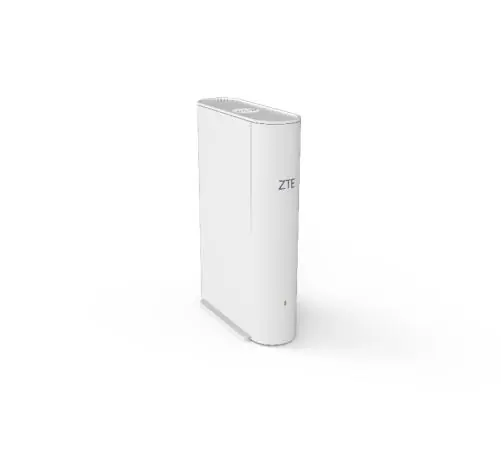
ZTE calls the H3601P "an advanced home gateway that supports 3000Mbps Dual-band concurrent 11ax Wi-Fi, supporting 160MHz@5GHz" and says it "brings you the ultimate Wi-Fi experience" for streaming and gaming. It pairs 2x2 WiFi 6 radios on both bands with EasyMesh certification, so extra units can blanket a larger home in one seamless network (ZTE product page).
- WiFi: WiFi 6, AX3000 class. 574 Mbps on 2.4GHz, 2402 Mbps on 5GHz with 160MHz channels.
- Coverage tech: MU-MIMO, OFDMA, beamforming on 5GHz, five fold-out antennas, EasyMesh with band steering and smart roaming. WPA3.
- Ports: Gigabit WAN plus gigabit LAN.
- What buyers say: No retail star ratings exist. It is an ISP-channel device with no Takealot or Amazon listing, so the spec sheet and the MyBroadband forums are all you get, and the forums have no complaints threads specific to this unit.
- Price and ownership: Roughly R723 at distributor Miro when stocked. It stays Webafrica's property: return it within 20 days of cancelling or be billed its retail value, with two free replacements for damage, lightning or theft while you subscribe.
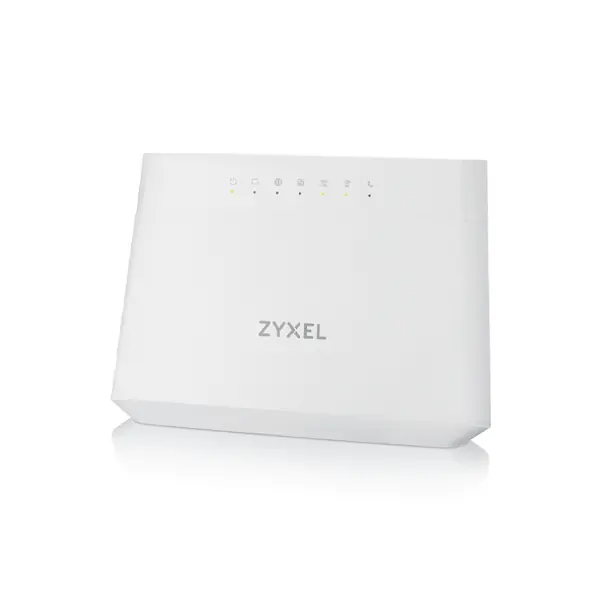
Some Webafrica customers receive the olderZyxel EMG3525-T50B instead: a WiFi 5 AC1200 gateway that Zyxel pitches with MU-MIMO and beamforming for "extreme coverage for great Wi-Fi user experience" (Zyxel series page). MyBroadband sentiment on it runs mixed to negative, with recurring complaints about instability and weak range. If the Zyxel arrives instead of the ZTE, ask Webafrica about the mesh or upgrade options.
Afrihost: Huawei WiFi AX3 (WS7100)
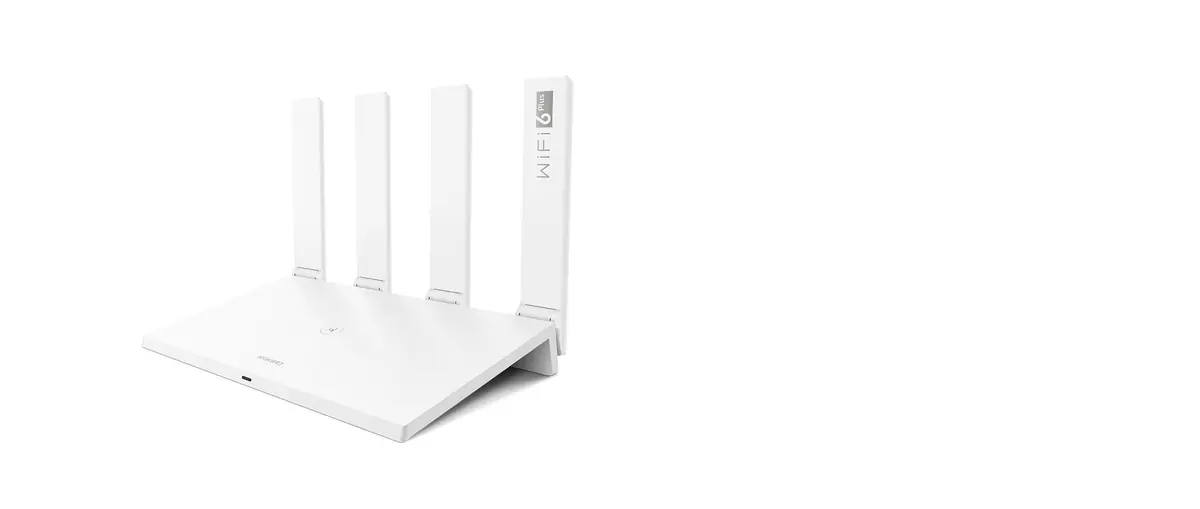
Huawei pitches the AX3 as WiFi 6 Plus: 3x the speed, 4x the capacity and two-thirds lower latency than WiFi 5, with 160MHz bandwidth and dynamic narrow-band tuning so the "Signal Can Go Through One More Wall". The Gigahome dual-core chipset targets many simultaneous connections, in Huawei's words "Multiple Connections. Smooth Connections." (Huawei product page).
- WiFi: WiFi 6, AX3000 class. 574 Mbps on 2.4GHz, 2402 Mbps on 5GHz.
- Coverage tech: MU-MIMO, OFDMA, 1024-QAM, four antennas, Huawei Mesh+ for multi-router mesh, up to 128 devices. WPA3.
- Ports: Four gigabit ports with auto WAN/LAN.
- What buyers say: The most broadly validated ISP router in the country. 4.4/5 across 88 Takealot reviews, and roughly 4.2/5 across about 740 ratings on Amazon's UAE store. Buyers consistently praise the price-to-performance and the simple AI Life app setup.
- Price and ownership: Around R899 at retail. Afrihost charges a R249 delivery fee, and its fibre T&Cs state routers "remain the property of Clients upon cancellation": free means yours.
Afrihost: TP-Link EX511
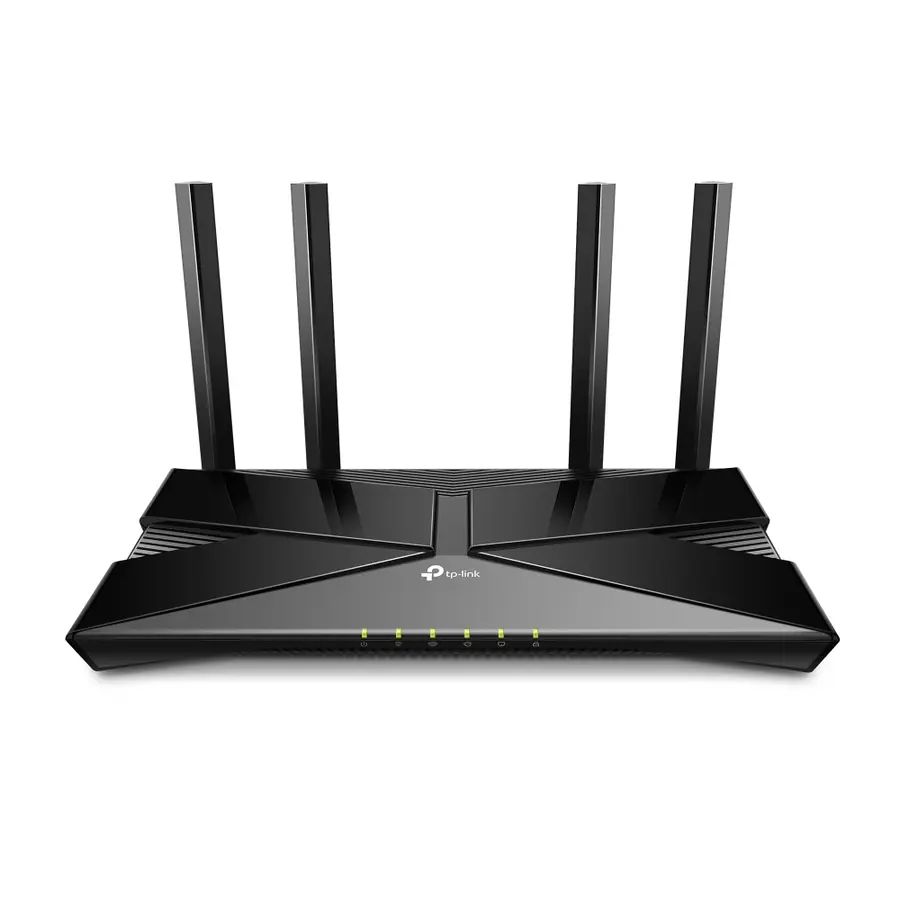
TP-Link sells the EX511 as "The Next Wave of WiFi 6" in its Aginet ISP range: AX3000 speeds, lower latency and more simultaneous connections, WiFi CERTIFIED EasyMesh for whole-home coverage, and WPA3 security, with setup in minutes via the Aginet app (TP-Link ZA product page).
- WiFi: WiFi 6, AX3000 class. 574 Mbps on 2.4GHz, 2402 Mbps on 5GHz.
- Coverage tech: MU-MIMO, OFDMA, TX beamforming, four external antennas, EasyMesh with 802.11k/v/r roaming. WPA3.
- Ports: Five gigabit ports (1 WAN, 4 LAN), one more LAN than the Huawei AX3.
- What buyers say: Only 2 Takealot reviews (both 5/5), which is too thin to rank on. A larger Flipkart sample abroad sits around 4.3/5. Treat it as an unknown with good specs rather than a proven favourite.
- Price and ownership: R999 on Takealot. Same Afrihost yours-to-keep terms as the Huawei models.
Afrihost: Huawei WS5200 (the older option)
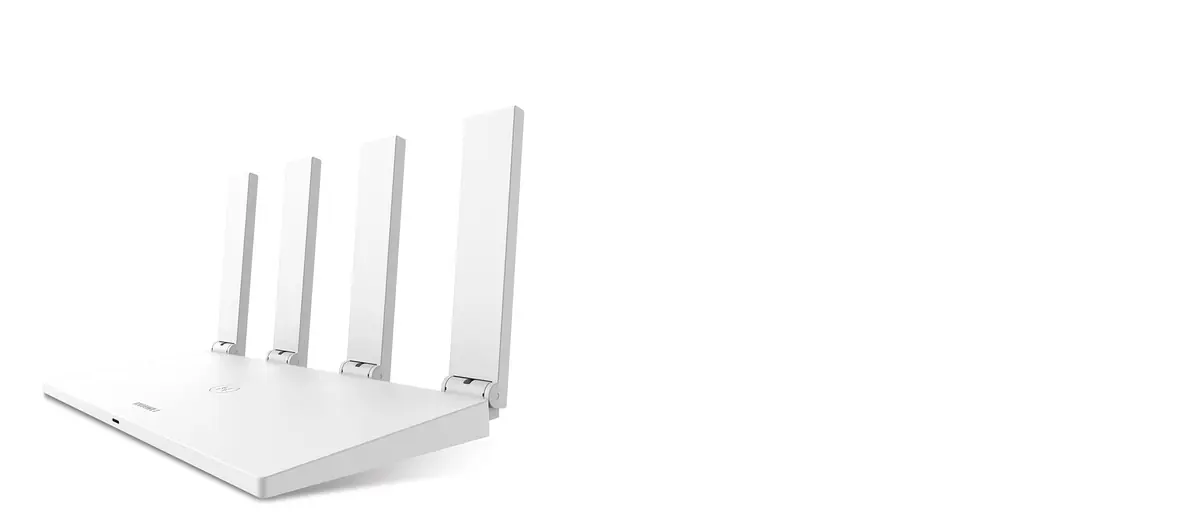
Huawei's pitch for the WS5200 is simple speed and ease: "Play online games with imperceptible lag, stream high-definition movies with no buffering, and download large files almost instantaneously", with four auto-sensing gigabit ports, support for 64 devices and automatic band switching managed from the AI Life app (Huawei product page).
- WiFi: WiFi 5, AC1200 class. 400 Mbps on 2.4GHz, 867 Mbps on 5GHz.
- Coverage tech: MU-MIMO, four external antennas, automatic band steering. No mesh support and no WPA3.
- Ports: Gigabit WAN/LAN, auto-adaptive.
- What buyers say: 4.3/5 from 111 Takealot reviews, the biggest local sample in this comparison. A liked, proven unit whose only real sins are its age: WiFi 5, WPA2 only, and Huawei has end-of-lifed it.
- Price and ownership: About R699 where stock remains. Same Afrihost yours-to-keep terms.
Atomic: Reyee RG-EW1300G
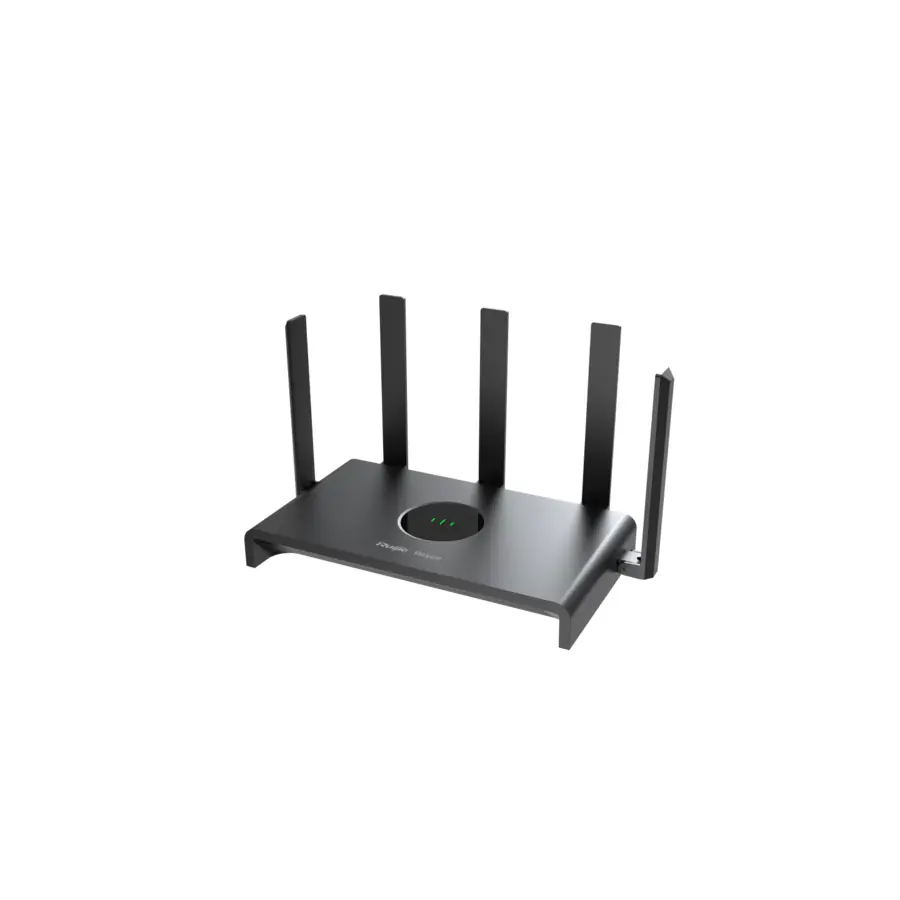
Reyee markets the RG-EW1300G as "Superior Wi-Fi Performance for Entry-level Gigabit Network": an AC1300 dual-band unit with gigabit ports, mesh-ready design for full coverage and seamless roaming by simply adding more Reyee units, support for up to 96 concurrent devices, and free remote management through the Ruijie Cloud app (Reyee product page).
- WiFi: WiFi 5, AC1300 class. 400 Mbps on 2.4GHz, 867 Mbps on 5GHz.
- Coverage tech: MU-MIMO (Wave 2), five external antennas (4dBi/5.5dBi), Reyee Mesh 3.0, plus repeater/AP/WISP modes.
- Ports: Four gigabit ports (1 WAN, 3 LAN).
- What buyers say: 4.8/5 from 13 Takealot reviews, the highest score in this comparison, on a small sample. Reviewers highlight the mesh pairing and the value at under R700.
- Price and ownership: R664 on Takealot; Atomic sells it for R799 with free next-day delivery. The free unit on Atomic's Octotel 100Mbps promo is an upfront discount, reversed if you cancel within 12 months; a purchased one is yours outright.
Vox: MikroTik hAP ac²
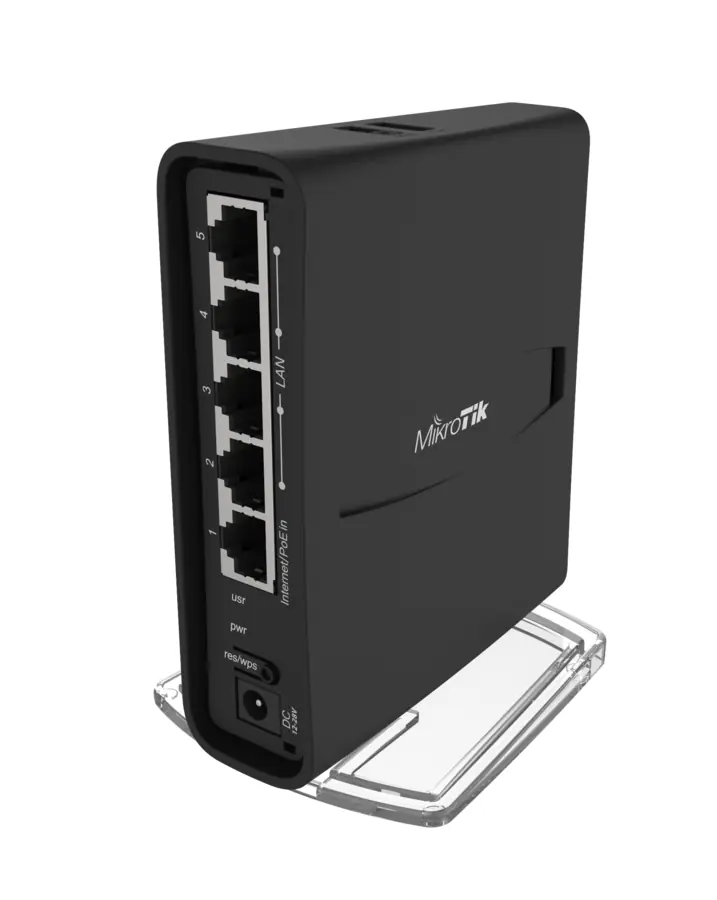
MikroTik positions the hAP ac² as a home router with enterprise DNA: "a Dual-concurrent Access Point, that provides Wifi coverage for 2.4 GHz and 5 GHz frequencies at the same time", five gigabit ports, a USB port for storage or an LTE modem, IPsec hardware acceleration, and full RouterOS preinstalled with free updates for at least five years (MikroTik product page).
- WiFi: WiFi 5, AC1200 class. 300 Mbps on 2.4GHz, 867 Mbps on 5GHz.
- Coverage tech: MU-MIMO, dual-concurrent radios, internal antennas in a compact tower. Full RouterOS (CAPsMAN, firewall, VPN) if you have admin access.
- Ports: Five gigabit ports plus USB and PoE-in.
- What buyers say: 4.7/5 from 45 Takealot reviews and roughly 4.5/5 across about 770 Amazon ratings. The scores come from enthusiasts running RouterOS themselves; Vox ships it locked down and managed, which is a different experience.
- Price and ownership: R1,607 on Takealot, the priciest unit here. The Vox unit is complimentary but remains Vox property and is collected on cancellation, and admin access requires a signed indemnity form.
Axxess: Tenda AC10
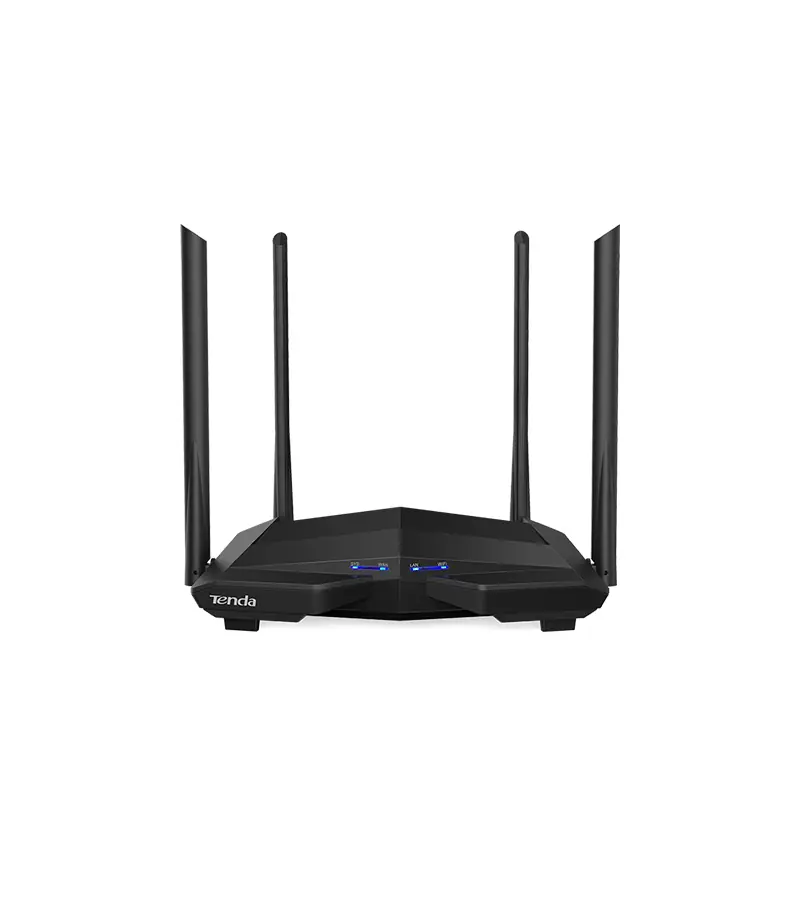
Tenda's pitch for the AC10 is honest value: an AC1200 dual-band gigabit router on 802.11ac Wave 2, a 1GHz CPU for smooth HD streaming and gaming, and full gigabit ports that "work well with fibre lines from 50M up to 1000M". Beamforming and MU-MIMO focus the signal towards your devices so the whole household gets stable WiFi at a wallet-friendly price (Tenda product page).
- WiFi: WiFi 5, AC1200 class. 300 Mbps on 2.4GHz, 867 Mbps on 5GHz.
- Coverage tech: MU-MIMO, Beamforming+, four 5dBi external antennas, band steering, signal-power adjustment. No mesh.
- Ports: Four gigabit ports (1 WAN, 3 LAN).
- What buyers say: One Takealot review (5/5), so no meaningful local rating. International editorial reviews call it good value with strong 2.4GHz performance for the price. Axxess's own help desk documents it as their standard fibre router.
- Price and ownership: About R509 at Wootware; ignore Takealot's R1,221 third-party markup. Axxess terms: return within 21 days of cancelling or pay R899; it becomes yours if you cancel 36 or more months after signup.
Telkom: D-Link DSL-G2562DG
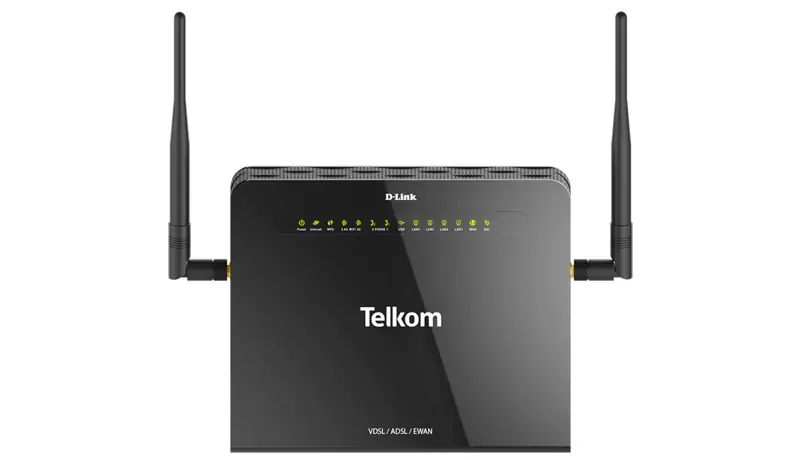
D-Link brands the DSL-G2562DG the "Complete Internet Solution": one box that does VDSL2/ADSL2+, fibre via its gigabit WAN port, VoIP with two phone ports, and dual-band AC1200 WiFi backed by a high-powered amplifier for coverage. A USB port adds file sharing and 3G/4G dongle failover keeps you online when the fixed line drops (D-Link ZA product page).
- WiFi: WiFi 5, AC1200 class. 300 Mbps on 2.4GHz, 866 Mbps on 5GHz.
- Coverage tech: Three external antennas and a signal amplifier, but no MU-MIMO and no mesh: the weakest coverage feature set in this comparison.
- Ports: Four gigabit LAN, gigabit WAN, VDSL port, two FXS VoIP ports, USB 3.0 and 2.0.
- What buyers say: No retail ratings anywhere; it is Telkom-channel only and mostly appears second-hand on BobShop from about R450.
- Price and ownership: Roughly R799 on the second-hand market. Telkom's contracts say "router and installation included" on 12 and 24-month terms but never publish return or ownership terms for the router itself.
WiFi 5 vs WiFi 6: does it matter on fibre?
It matters above 100Mbps. An AC1200-class WiFi 5 router has a 867 Mbps link rate on 5GHz, which translates to roughly 300 to 500 Mbps of real throughput at close range, and much less through a wall. The WiFi 6 AX3000 units double the link rate to 2402 Mbps with 160MHz channels and handle many simultaneous devices better thanks to OFDMA.
The practical rule from these spec sheets: on a 50 or 100Mbps line, every router in this list is fine, including the Tenda AC10. On 200Mbps, WiFi 5 already caps your wireless speed in real conditions. On 500Mbps or 1Gbps, only the WiFi 6 trio (ZTE H3601P, Huawei AX3, TP-Link EX511) lets you actually see your line speed over WiFi, and even then only on 160MHz-capable devices near the router.
Two coverage notes from the feature comparison above. First, every router here except Telkom's D-Link has MU-MIMO, which keeps speeds up when several devices stream at once. Second, mesh support is what actually fixes a big house: the ZTE, TP-Link and Zyxel do EasyMesh, the Huawei AX3 does Huawei Mesh+ and the Reyee does Reyee Mesh, while the WS5200, Tenda and D-Link cannot mesh at all. And if you keep a device on a network cable, every router in this comparison has gigabit LAN ports, so wired speeds are safe on all of them.
First-hand: my Chromecast kept dropping until I killed 2.4GHz
A war story from my own network that shows why the 2.4GHz band deserves less loyalty than it gets. My personal router is an ASUS RT-AX55, a WiFi 6 unit a class above anything in the table over there, and for days my Google Chromecast and its Bluetooth remote kept disconnecting, at least twice a day, every day.
Bluetooth and 2.4GHz WiFi share the same slice of spectrum, so my first stop was the setting ASUS built for exactly this fight: Wireless, Professional tab, "Bluetooth Coexistence". I enabled it and waited. The disconnects kept coming.
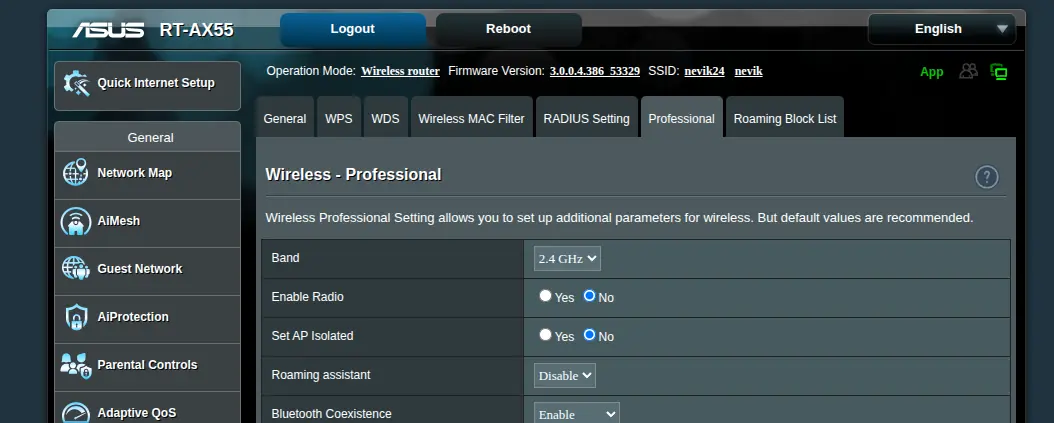
What finally worked was more drastic: on the same Professional tab I set the 2.4GHz band's "Enable Radio" to No, switching that radio off completely, and moved every device onto the newer, far less congested 5GHz network. Result: not a single Chromecast or remote disconnect since. You can see both settings in the screenshot above, taken from my own router.
The lesson for the ISP routers in this comparison: if a streaming stick, Bluetooth remote or wireless keyboard misbehaves near your router, suspect the 2.4GHz band before you blame the device. Every router in this list is dual-band, and most (the ZTE, both Huaweis, the TP-Link, Reyee and Tenda) let you disable 2.4GHz or at least split the bands into separate networks so you can park problem devices on 5GHz. The trade-off is range: 5GHz does not travel through walls as well, which is exactly why the mesh support covered above matters in bigger homes.
Can you flash OpenWrt on an ISP router?
Only two of the nine, and one of them is not really yours to flash. We checked every model against the OpenWrt Table of Hardware in August 2026:
- MikroTik hAP ac² (Vox): supported. Full OpenWrt support including both radios. But two caveats. First, the unit belongs to Vox, is centrally managed, and admin access requires a signed indemnity form, so flashing the ISP's unit is a contract problem before it is a technical one. Second, if you buy your own, do not upgrade RouterOS to v7 before flashing; its bootloader breaks OpenWrt installation.
- Reyee RG-EW1300G (Atomic): newly supported. Support was merged into OpenWrt in May 2026 for the V1 hardware (MT7621A, 128MB RAM). It is snapshot-only for now and installation needs TFTP with a serial cable, so it is a tinkerer's route, not a weekend upgrade. Newer hardware revisions with 8MB flash may not work.
- Everything else: no. The Huawei AX3 and WS5200 use closed HiSilicon and Realtek chipsets with no open drivers, the Tenda AC10's Realtek SoC is unsupported, the TP-Link EX511 port attempt stalled after a bricked test unit, the ZTE H3601P runs a proprietary ZTE SoC, the Zyxel's firmware is OpenWrt-based but locked, and the Telkom D-Link has no Table of Hardware entry at all.
If open firmware matters to you, buy your own router and put the ISP unit in a drawer, or run the ISP router in bridge mode where the ISP allows it.
Keep it or give it back: the fine print per ISP
This is the part nobody reads until cancellation day, so here it is in one place, each policy with a source link to the ISP's own published terms:
| ISP | The actual policy |
|---|---|
| Afrihost | Routers "remain the property of Clients upon cancellation". Yours. R249 delivery fee, and no router on Vuma Reach or Web Connect. Source: afrihost.com |
| Webafrica | Free-to-use and insured, but Webafrica property. Return within 20 days of cancelling or be billed retail value. Two free replacements for damage, lightning or theft. Source: knowledge.webafrica.co.za |
| Axxess | Free-to-use, "valued up to R5000", model at Axxess's discretion. Return within 21 days of cancelling or pay R899. Becomes yours if you cancel more than 36 months after signup. Source: help.axxess.co.za |
| Vox | Complimentary managed MikroTik, couriered free. Vox property, collected on cancellation. Admin access requires a signed indemnity form. Source: vox.co.za |
| Atomic | No bundled router by default. The free Reyee on the Octotel 100Mbps promo is an upfront discount, reversed if you cancel within 12 months. Routers you buy from Atomic are yours. Source: atomic.co.za |
| Telkom | "Router and installation included" on 12 and 24-month contracts. The public T&Cs never state return or ownership terms for the router itself. Source: telkom.co.za T&Cs PDF |
| Herotel | Free-to-use router of Herotel's specification, remains Herotel property unless you purchase it upfront on the service order form. Source: herotel.com |
The pattern: pay-monthly ISPs that market hardest on "free" (Webafrica, Axxess, Vox) are lending you the router. Afrihost gives it away. Atomic mostly skips the game and just sells you one at close to cost.
How we checked this
We cross-referenced four source types per router in August 2026: the supplying ISP's own setup guides, help-desk knowledge bases and published T&Cs for the model and ownership terms; the manufacturer's official spec sheet for WiFi class, link rates and coverage features; Takealot, Amazon and SA retailer listings for street price and user ratings; and the OpenWrt Table of Hardware for firmware support. Where an ISP never names its model publicly (Axxess, Vox, Telkom), the model comes from the only hardware documented in that ISP's own support portal, which is the closest thing to an official answer that exists. Product photos and marketing descriptions come from each manufacturer's official product page, linked in every section. Prices were captured on 22 August 2026, so treat them as estimates that drift.
When the free router is the wrong choice
Skip the bundled router, or plan to replace it, if any of these fit you:
- Your line is 500Mbps or faster and your ISP ships WiFi 5. On Vox, Axxess, Telkom or Atomic, the free unit will silently cost you half your line speed over wireless. A R999 TP-Link EX511 off the shelf fixes that.
- Your house is large or double-storey. None of these single units covers 250m² of brick construction well, MU-MIMO or not. A mesh kit beats any single free router; see our mesh router guide.
- You churn ISPs for promos. If you switch providers yearly, return-policy routers (Webafrica, Axxess, Vox) mean couriering hardware back every time and a dead WiFi gap between services. Owning your own router makes ISP-hopping painless, since fibre only needs a router with a WAN port, as we covered in do you need a special fibre router?
- You want control. Vox's MikroTik is a genuinely capable device that Vox locks behind an indemnity form. If you want RouterOS features, buy your own hAP for R1,607 rather than fighting for admin access on theirs.
And one honest note the ISPs will not print: the "up to R5000 value" style claims on router promos are marketing. The most expensive router any of these ISPs actually ships retails at about R1,600, and most of them are R500 to R1,000 devices. The free router is worth taking. It is not worth choosing an ISP for.
Frequently asked questions
Which South African ISP gives the best free router?
On hardware alone, Webafrica (ZTE H3601P, WiFi 6 AX3000). Counting ownership, Afrihost: its Huawei AX3 and TP-Link EX511 are the same AX3000 class and the T&Cs make the router your property, while Webafrica's must be returned on cancellation.
Do I have to return my router if I cancel my fibre?
At Webafrica (20 days), Axxess (21 days, R899 if you don't), Vox (collected) and Herotel: yes. At Afrihost: no, it is yours. At Axxess it also becomes yours if you cancel after 36 or more months. Telkom publishes no return terms for its D-Link.
Can I use my own router instead of the ISP one?
Yes, with every ISP in this list. Fibre needs a router with an ethernet WAN port and PPPoE or DHCP support; the ONT handles the fibre side. The exceptions are Vuma Reach and Openserve Web Connect packages, where the WiFi ONT is the router and some ISPs (Webafrica on Vuma Reach) do not allow your own router at all.
Is the free ISP router good enough for gaming?
Wired, yes: all nine models have gigabit LAN ports, and a cable beats any WiFi for latency. Wireless, the WiFi 6 units (ZTE H3601P, Huawei AX3, TP-Link EX511) hold up much better with multiple devices; see our Asus RT-AX86U review for what a dedicated gaming router adds.
Which ISP routers support OpenWrt?
Only the MikroTik hAP ac² (Vox) has full stable support, and the Reyee RG-EW1300G (Atomic) gained snapshot support in May 2026. The Huawei, TP-Link EX511, Tenda, ZTE, Zyxel and D-Link models are all unsupported due to closed chipsets.